Recently, I needed to render out a large list of items stored in our SharePoint Online metadata TermSet into a tree structure in SharePoint WebPart.
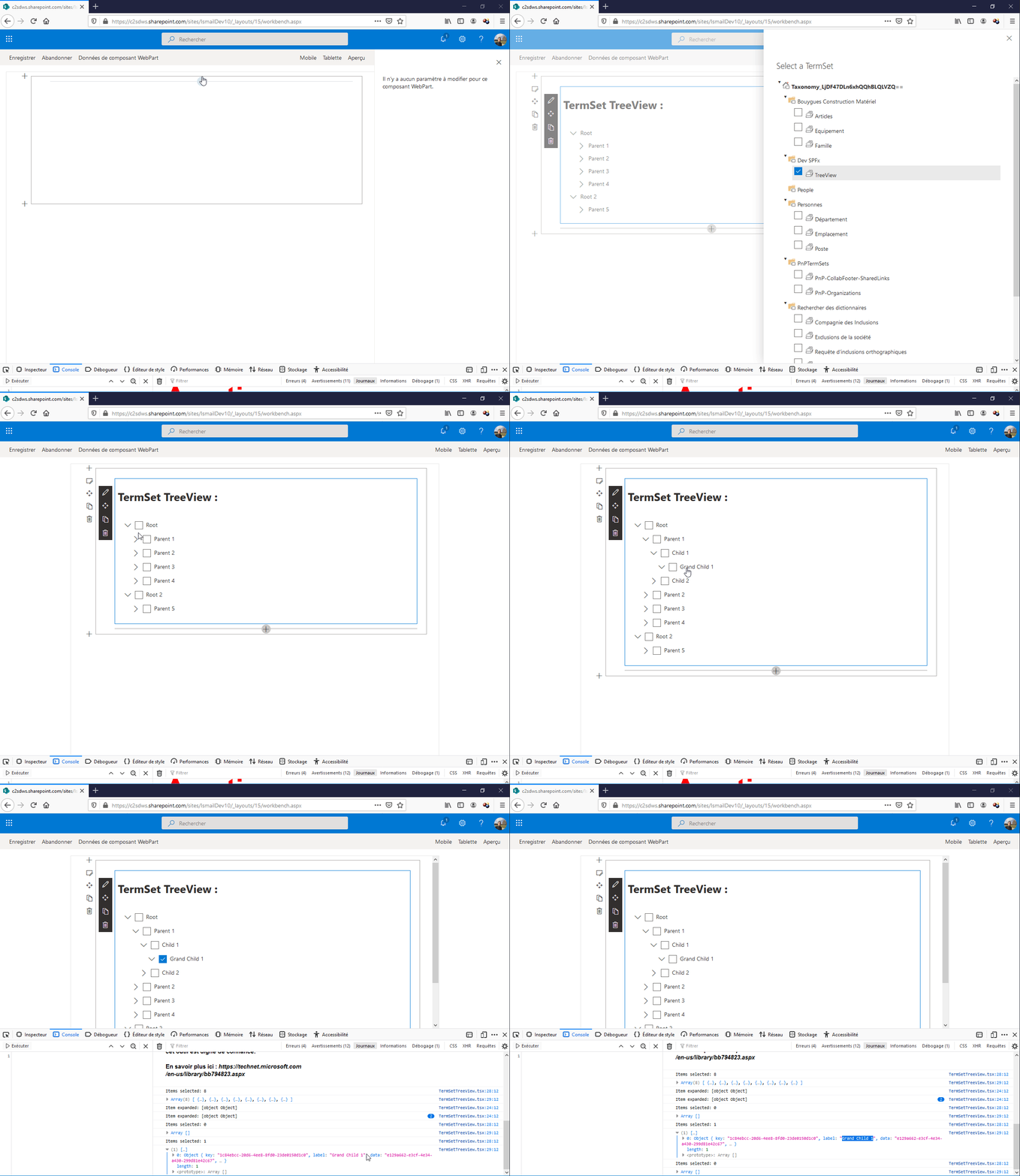
I created a termset, added terms, then added additional
terms within each parent term. But when it came to rendering all of these terms
out using « sp-taxonomy.js », I realized that there was no way to get
the data back structured in the same hierarchy that we inputted.
To fix this issue, I wrote utility methods that get the
terms from the term set, create a hierarchical tree of terms based on their
path.
- Function to get all terms from a term store
| public async getTermSetTags(_siteCollectionUrl,_termStoreGuid,_termSetId){ | |
| const _taxonomy = new Session(_siteCollectionUrl); | |
| const store = await _taxonomy.termStores.getById(_termStoreGuid).get(); | |
| const termSet: ITermSet = store.getTermSetById(_termSetId); | |
| const termsWithData: (ITermData & ITerm)[] = await termSet.terms.select('Id', 'Name', 'Parent').get(); | |
| return termsWithData; | |
| } |
- Function to create a tree structure from my terms list
| public getTermSetTree = ( | |
| data = [], | |
| {idKey='id',parentKey='parentId',childrenKey='children'} = {} | |
| ) => { | |
| const tree = []; | |
| const childrenOf = {}; | |
| data.forEach((item) => { | |
| const { [idKey]: id, [parentKey]: parentId = 0 } = item; | |
| childrenOf[id] = childrenOf[id] || []; | |
| item[childrenKey] = childrenOf[id]; | |
| parentId | |
| ? ( | |
| childrenOf[parentId] = childrenOf[parentId] || [] | |
| ).push(item) | |
| : tree.push(item); | |
| }); | |
| return tree; | |
| } |
You can find the source code of the SPFx WebPart in github.


